S355 advice
After the first answer, the agent moves toward quality control and next questions.
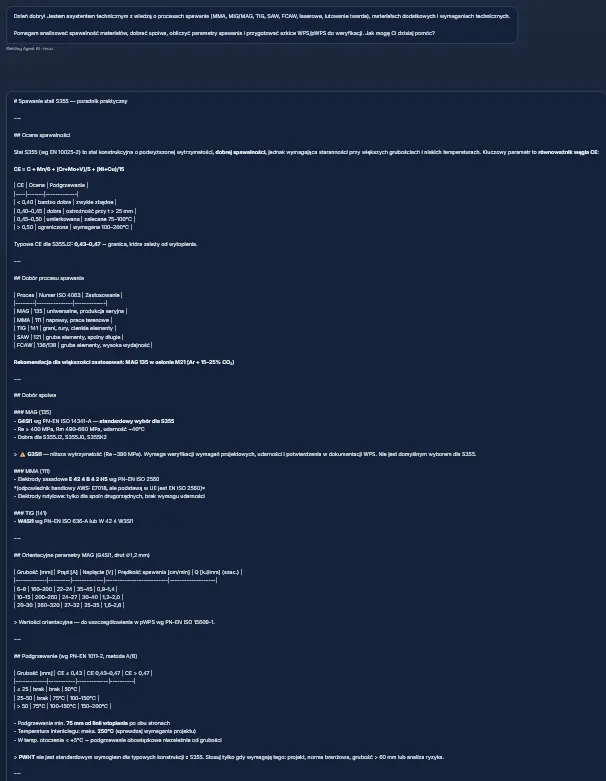
The screen shows a continued S355 answer, typical defects and a natural transition into NDT.

See how the agent guides a simple technical question through clarification, NDT, quality control and a working document draft for specialist review.
The screens show working answers and draft documents generated for specialist review.
The flow covers the key situations: a technical question, missing data, NDT, quality control, a WPS form and a generated working document.
The screen shows a continued S355 answer, typical defects and a natural transition into NDT.
The agent organizes VT, MT, UT/RT, acceptance levels and inspection sequence for specialist review.

This reduces guessing and helps establish the process, material or analysis objective before answering.

It covers preparation, welding parameters, common defects and post-weld checks.

The clickable prompts lead toward thickness, filler metal, MAG parameters or the next practical step.

The demo shows the boundary between a technical answer and the working WPS/pWPS mode. A question like “How should I weld S355?” should not open the WPS table by itself.


The document is presented as working material: organized, readable and ready for review by the responsible specialist.
Start the free test and check the workflow on a real welding, NDT or documentation question.